Loklok Web: How to Open the Website, Log In, and Fix Browser Issues
A practical browser guide for finding the current Loklok Web entry point, checking the domain before signing in, and choosing between web, APK, and Windows access.
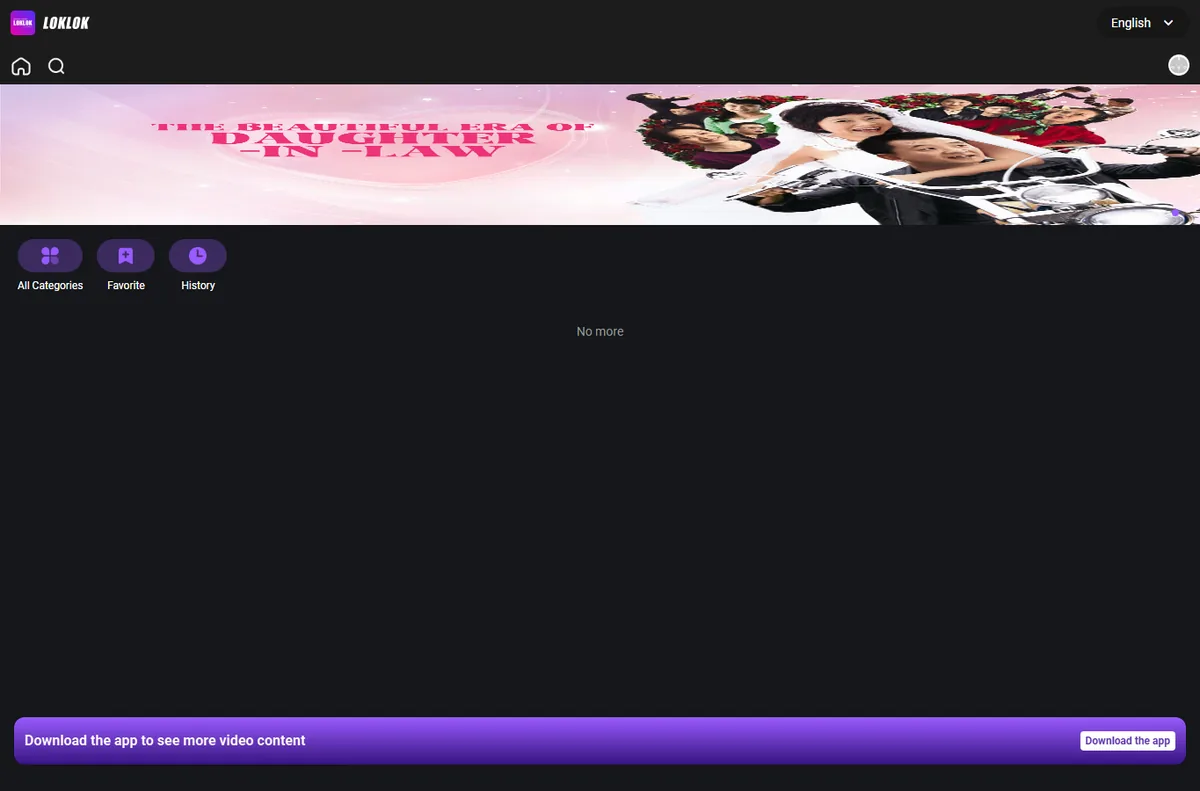
Quick answer: Loklok Web is the browser-based route for users who want to open Loklok without first installing an APK. The currently reachable web interface is at h5.loklok.com. It shows a category screen, search, favorites, history, language selection, and an account login route. Availability, content, and account behavior can change by region, so verify the domain and visible policy links each time rather than trusting a copied “official” button on a download mirror.
This page serves a different intent from our Loklok Windows guide and LOKTV vs Loklok comparison. It does not provide an APK, claim that every title is available, or promise that a web login will transfer purchases between differently named apps. It explains the browser workflow, what the current page visibly supports, and how to stop before entering credentials on a look-alike domain.
Guide contents
What is Loklok Web?
Loklok Web is a browser interface rather than an Android package. You open a URL in Chrome, Edge, Safari, or another modern browser and use the page without installing an APK first. The interface visible during our check included a home screen, search, All Categories, Favorite, History, a language menu, and a prompt to download the app for more video content. That last prompt matters: the web version may not offer every function that appears in the mobile app.
The main search intent behind “loklok web” is navigational. Users want the real destination quickly. A useful guide therefore must name the checked URL, explain how to identify a look-alike, and describe what happens after opening it. It should not bury the route below promotional claims or redirect readers to an unrelated APK.
Best answer first
Use the browser route when you want quick online access without an installer. Use a dedicated app only when you specifically need app-only features and can verify its store listing, package, developer, and update source.
How to Open and Verify the Loklok Website
Type the checked address directly or use the link in this guide. Before interacting, read the hostname in the browser address bar. Similar-looking domains can use Loklok in their page title while being unrelated download or mod sites. A familiar logo is not proof of ownership, and a search result label such as “official” is not independently verified by that word alone.
The current page loads over HTTPS and exposes an account route under the same h5.loklok.com host. If the site redirects to a new host, asks for an APK before showing the web interface, or requests payment information unexpectedly, pause and verify the destination again. Do not reuse your primary email password on a domain you have not checked.
Four checks before you continue
- Confirm the address begins with https://h5.loklok.com/ and inspect any redirect before entering data.
- Look for the expected home, search, category, favorite, history, and language controls.
- Open account or policy links from the same page rather than a banner on an APK mirror.
- Leave the page if the browser shows a certificate warning, forced download, or unrelated payment request.
Loklok Web Login: What to Check Before Signing In
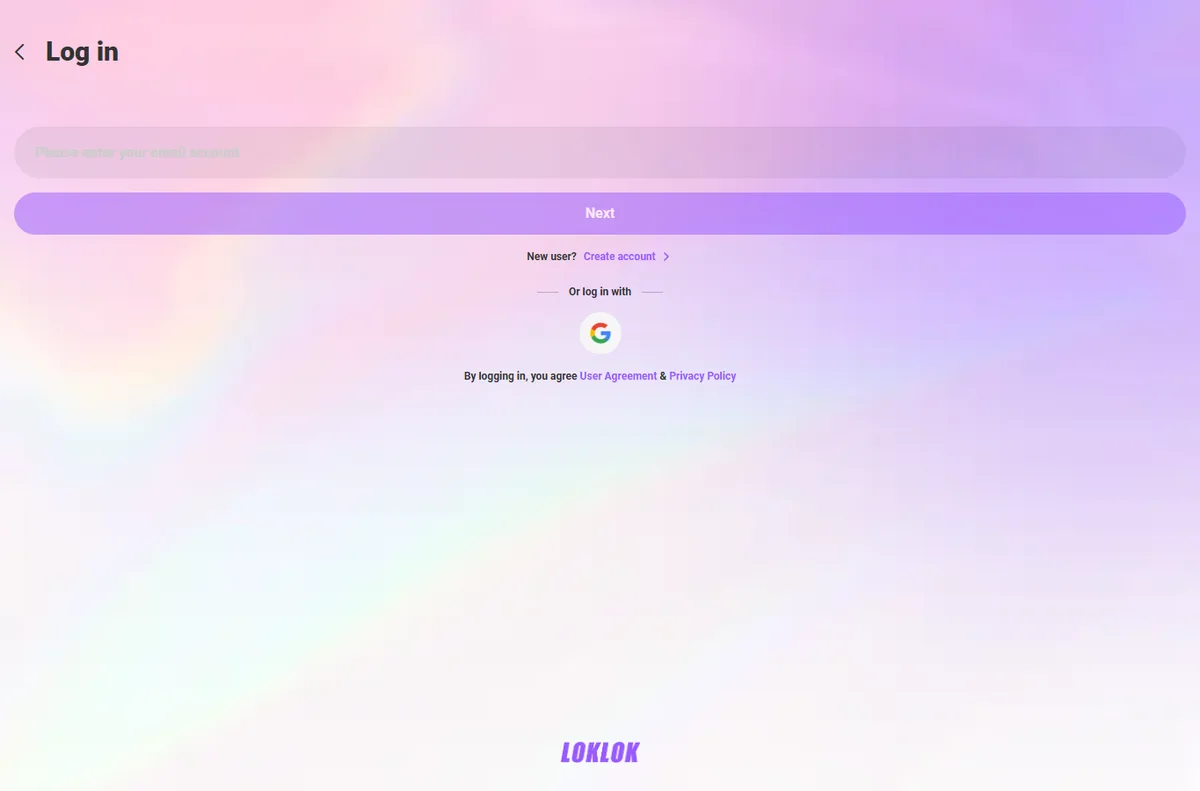
The current login screen asks for an email account and offers a Google sign-in option. It also displays links to a User Agreement and Privacy Policy. These visible elements are more useful than a third-party tutorial that invents a password flow. The service can change its authentication methods, so follow the options on the current page and never send a password to someone offering account recovery in comments or chat.
If you only want to inspect the public interface, do that before signing in. Favorites, history, subscriptions, or synced activity may require an account, but access can vary. This guide does not claim that a Loklok, LOKTV, RookTV, or other similarly named account will automatically transfer. Treat cross-app account compatibility as unverified unless the active service states it during login.
For Google sign-in, confirm the authorization window identifies the expected service and review the requested account information. For email login, use a unique password if the service supports password creation. Do not enter a one-time code on a different domain, and do not share screenshots containing email addresses or tokens when asking for help.
| Login situation | What to verify | Safe next step |
|---|---|---|
| Email account | Same checked host and a visible policy link | Use a unique password and keep recovery details private. |
| Google sign-in | Expected service name and requested permissions | Cancel if the authorization screen names an unrelated app. |
| Account not found | Spelling, region, and whether the account belongs to another app | Use the on-page recovery flow; do not pay a third party. |
| Subscription missing | Which app and store processed the purchase | Check the original receipt and contact that store or service. |
Loklok Web vs APK vs Windows App
The web route is best for immediate browser access. An Android APK is a separate installation package, while a Windows client or emulator is intended for a desktop app workflow. These options should not be merged into one download button because their security checks, update paths, storage use, and feature sets differ.
Choose by task, not by the biggest feature list. Web access avoids installation but may show fewer features. An app may support notifications or offline files but needs a trustworthy update source. A Windows route may offer a larger-screen experience but adds installer or emulator decisions.
| Option | Best for | Main limitation | Verification |
|---|---|---|---|
| Loklok Web | Quick access in a modern browser | Some content or features may point to the app | Check the hostname and login policy links. |
| Android APK | App-specific mobile features | Requires installation and package permissions | Check store/source, package, developer, version, and signature. |
| Windows app or emulator | Long desktop sessions and larger screens | Installer or emulator overhead | Use the dedicated Windows guide. |
| LOKTV app | Users intentionally looking for LOKTV | Not automatically identical to every Loklok service | Read the identity comparison. |
Using Loklok Web on Desktop, Phone, Tablet, and TV
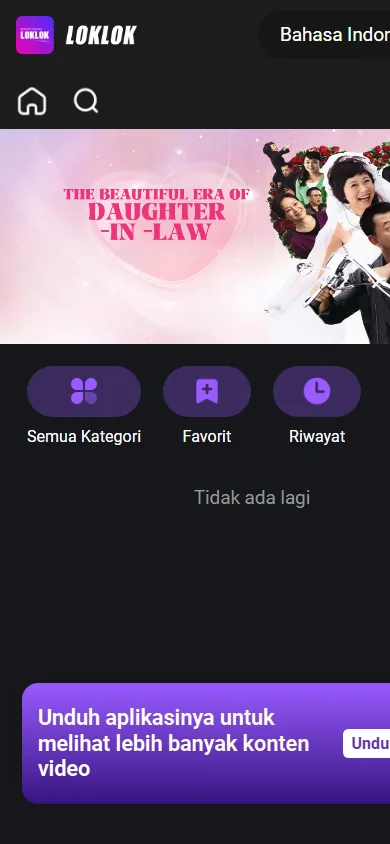
A browser page can adapt to several screen sizes, but that does not guarantee identical controls. Desktop browsers offer more room for search and account menus. Mobile browsers fit the main categories into a narrower view and may show stronger prompts to install the app. A television browser may load the page but still be awkward with a remote or unsupported media playback.
Start with the device you already trust. Update the browser, allow only required site permissions, and test ordinary navigation before signing in. Avoid enabling unknown-source installation just to use a website; web access does not require an APK.
Desktop or laptop
Use a current Chrome, Edge, Firefox, or Safari build. Check the address bar after every redirect and keep downloads blocked unless you deliberately choose an official installer.
Android, iPhone, or tablet
Use the normal browser first. You can add a browser shortcut later, but confirm it opens the same HTTPS hostname and is not a separately installed profile or APK.
Smart TV browser
Test remote navigation, sign-in fields, and playback before treating the TV browser as supported. Casting from a trusted phone may be simpler when the built-in browser is outdated.
Fix Loklok Web Loading, Login, and Playback Problems
Browser failures can come from stale site data, blocked scripts, network filtering, an expired session, or a service-side outage. Change one thing at a time so you know what solved the problem. Do not respond to a loading error by installing an unrelated “fix” APK.
First reload the checked URL in a private window. If it works there, clear site data only for the Loklok host rather than deleting every browser password and cookie. If it fails across devices and networks, the service may be unavailable or region-limited; wait and use licensed services available in your region instead of chasing rotating mirror domains.
| Problem | Likely cause | What to try |
|---|---|---|
| Blank or endless loading | Cached data, blocked script, or outage | Private window, site-data reset, then another trusted network. |
| Login loops | Expired cookie or cross-site blocking | Sign out, clear only this site's data, reopen the checked login URL. |
| Google sign-in closes | Popup or third-party cookie restriction | Allow the login popup temporarily and verify the authorization domain. |
| Video does not start | Browser codec, region, title, or service limit | Update the browser, test another title, and lower quality if available. |
| Favorites or history missing | Signed out or a different account/app | Confirm the active account; do not assume cross-app synchronization. |
Privacy, Source, and Version Freshness Notes
This project is a download-oriented app guide site, so version freshness was checked again on August 6, 2026. The LOKTV Google Play listing for package com.morph.curve showed developer LOKTV DEV, an update date of July 31, 2026, 1M+ installs, and no universal version number or fixed file size. We synchronized the developer and update-date fields; the package, universal version, size, and Android download CTA remain unchanged because Google Play does not expose universal values.
The new page is web-intent and uses a verified page link, not an APK direct link. We checked the first-party LOKTV download page, the Google Play listing, h5.loklok.com, and the Loklok Web login route. The CTA points to the current HTTPS web page because no file is required for browser access. Never describe a changing catalog or account behavior as guaranteed.
Web access still creates privacy decisions. Review the active site's user agreement and privacy policy before login, use unique credentials, and avoid uploading identity documents or payment details to a look-alike domain. Content availability and legality can vary by country; follow local law and use licensed providers where required.
Checked on July 25, 2026
LOKTV Android source: Google Play page fallback, not an unverified APK file. Loklok Web source: current HTTPS page at h5.loklok.com, with no installer required.
Loklok Web FAQ
Related LOKTV and Loklok guides
- LOKTV login and account guide — Use the LOKTV app account, password, code, and QR workflow.
- Loklok on Windows PC — Dedicated installer and emulator intent.
- Are LOKTV and Loklok the same? — App identity, cost, and source comparison.
- LOKTV offline download guide — Offline storage and subtitle intent after installation.
- Loklok Mod APK safety guide — Separate risk checks for modified-package searches.
Use the Web Route for Web Intent
For a “loklok web” search, the useful outcome is a checked browser destination plus clear login and troubleshooting boundaries. Open the current HTTPS route, confirm the hostname, inspect the visible account and policy controls, and avoid any mirror that turns a browser query into a forced APK download.
Use the related guides only when your intent changes: Windows installation, LOKTV versus Loklok identity, offline downloads, or mod APK safety. Keeping those tasks separate makes it easier to verify the right source and avoid entering credentials on the wrong page.